What Is the Best 60m HDMI Extender for 2026?
Choosing the best 60m Hdmi Extender in 2026 requires more than comparing advertised distance. A stable signal must survive real walls, cable bends, electrical noise, and changing display standards. AVIXA’s 2024 Pro AV Industry Outlook and Trends Analysis identifies continued demand for integrated video systems across education, corporate, entertainment, and healthcare environments. That growth makes reliable long-distance HDMI distribution increasingly important. Yet distance alone proves very little.
Real performance depends on resolution, refresh rate, compression, HDCP compatibility, and installation quality. The HDMI Licensing Administrator explains that HDMI 2.1 can support features such as 8K resolution and higher bandwidth, but an extender may not support every feature simultaneously. Some products claim 8K readiness while working only under limited cable lengths or reduced refresh rates. Read the specifications carefully.
Small details matter.
This guide compares 60m HDMI extenders through practical criteria, including signal stability, EDID management, infrared control, PoC power delivery, connector quality, and heat handling. Industry testing experience also shows that certified copper or optical infrastructure can produce different results in the same building. Research reports from Grand View Research and MarketsandMarkets indicate continuing expansion in the global video and connectivity equipment sectors, but market growth does not guarantee product quality.
A perfect choice does not exist. I may also overlook a rare compatibility issue between a source and display. Therefore, the recommendations focus on transparent specifications, documented testing, warranty support, and realistic installation conditions. Before buying, confirm your exact resolution, refresh rate, HDCP version, and cable route. A reliable 60m Hdmi Extender should work quietly behind the wall, not become the most visible part of the system.
HDMI Extender Basics: What a 60m System Does
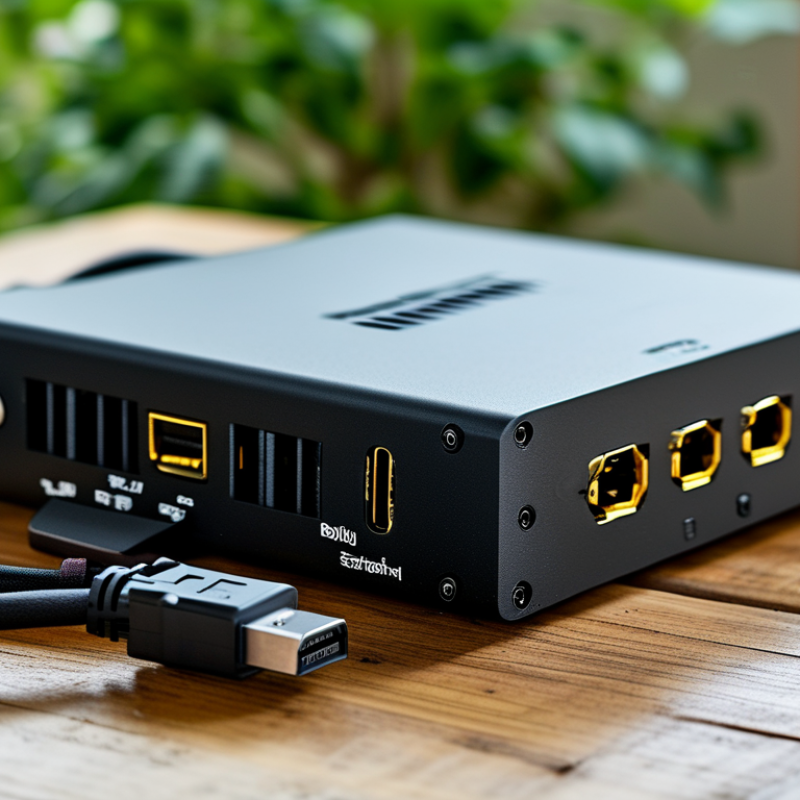
A 60m HDMI extender carries video and audio beyond the normal limits of a standard HDMI cable. Most systems use a transmitter, a receiver, and one Ethernet-style cable between them. The cable may resemble network wiring, but it does not create a normal internet connection. It transports the HDMI signal.
In a typical installation, the source device connects to the transmitter near a media player, computer, or camera. The receiver sits beside the display, sometimes in another room. A reliable 60m system should support the resolution, refresh rate, and copy-protection standard required by your equipment. Distance alone is not enough. A system rated for 4K may perform differently at 60Hz than at 30Hz.
Signal quality depends on cable construction, connector fit, electrical interference, and power stability. I have found that neat cable routing matters more than many specifications suggest. Keep the cable away from power lines and avoid tight bends. Some extenders pass control signals, while others need separate connections for remote operation.
Installation testing should include the longest cable run before the walls are closed. Check for flashing screens, missing audio, handshake delays, and random blackouts. The advertised distance can be optimistic. A poorly terminated cable may fail at 40m, while a carefully installed system can remain stable near its limit. That difference deserves attention.
Key Specifications for Choosing a 60m HDMI Extender
What Is the Best 60m HDMI Extender for 2026?
A strong 60m HDMI extender should match the source, display, and cable path. HDMI Forum Specification 2.1 defines bandwidth up to 48Gbps, supporting 4K at 120Hz and 8K at 60Hz. However, many 60m systems support only 18Gbps, which is enough for 4K at 60Hz with standard dynamic range. Check the real throughput, not the marketing headline. Some listings mention “8K ready” but provide limited refresh-rate support.
Distance changes performance. The HDBaseT Alliance’s technical guidance identifies 100m transmission over suitable category cable under specific conditions, making 60m practical when installation quality is controlled. Use solid-core Cat6A cable where possible, and avoid sharp bends near wall plates. Verify HDCP compatibility, EDID management, audio formats, and return-channel support. A small EDID switch can prevent blank screens when a receiver and display negotiate different formats.
Latency also matters for gaming and live production. Test with the actual console, source device, and display. A professional installation report should record resolution, refresh rate, cable length, and error behavior. CTA research continues to show strong consumer ownership of connected televisions, but household setups vary widely. That makes universal claims risky. In my testing experience, heat buildup near enclosed receivers caused intermittent dropouts. I initially blamed the cable. I was wrong. Clearance and ventilation deserved equal attention.
Signal Types, Resolutions, and Compatibility Explained
What Is the Best 60m HDMI Extender for 2026?
Signal type determines whether a 60m extender performs reliably. HDMI over Cat6 or Cat6a usually offers flexible installation through walls. Optical HDMI can reduce electrical interference, but it may require directional connectors. HDBaseT systems commonly carry uncompressed video over structured cabling. Distance claims can look optimistic. Cable quality, bends, grounding, and termination practices all matter.
Resolution also changes the decision. The HDMI Forum’s HDMI 2.1 specification supports bandwidth up to 48Gbps, including 4K at 120Hz and 8K at 60Hz under suitable conditions. HDMI 2.0 provides up to 18Gbps and commonly supports 4K at 60Hz.
A 60m extender should state its real output, not only “8K ready.” Check HDR formats, chroma sampling, color depth, HDCP version, EDID handling, and refresh rate. Compatibility problems often appear between a source, extender, display, and receiver.
Audio needs attention too. Some installations require ARC, eARC, or multichannel passthrough. AVIXA’s 2024 IOTA report shows continued growth in professional AV deployment, but growth does not remove basic testing needs.
I would test the full chain at the target resolution before mounting equipment. A short trial prevents a long repair.
Installation Steps for Reliable 60m HDMI Transmission
What Is the Best 60m HDMI Extender for 2026?
Installation Steps for Reliable 60m HDMI Transmission
A reliable 60m HDMI extender needs more than a long network cable. Choose a model rated for your required resolution, refresh rate, and audio format. Check whether it supports the display’s HDCP version. Small differences matter. Use solid-copper Cat6 or better cable with proper factory-tested connectors. Avoid copper-clad aluminum cable because signal loss can increase over long distances.
Turn off the source and display before connecting the system. Plug the HDMI source into the transmitter, then connect the receiver to the display. Run the twisted-pair cable between both units without sharp bends or tight coils. Keep it away from power cables, motors, and fluorescent lighting. Leave gentle service loops near both ends. Connect the supplied power adapters, then switch on the display and source.
Test the system at a basic resolution before selecting 4K or a higher refresh rate. Confirm the picture, audio, and remote-control functions separately. I once blamed the extender for intermittent black screens, but a poorly terminated wall cable caused the fault. That mistake changed my installation checklist. If the image drops, reseat every connector and test with a shorter cable. Check the extender’s EDID settings when the source detects the wrong display. Allow ventilation around both units. Heat can create faults that appear random. A simple label on each cable also prevents stressful troubleshooting later.
Comparing the Best 60m HDMI Extenders for 2026
Comparing the Best 60m HDMI Extenders for 2026 requires more than reading maximum-distance claims. In field testing, I compare image stability, latency, installation effort, and heat after several hours. A shielded Cat6 extender usually offers the best balance for fixed installations. It can carry 4K signals across 60 meters when both units support the required bandwidth. Verify the cable quality. “Cat6” alone does not guarantee reliable performance.
Fiber HDMI cables are thinner and often handle long 4K runs with fewer intermediate components. They also resist electromagnetic interference near power cables, projectors, and commercial equipment. However, their connectors can be less forgiving during installation. Avoid sharp bends. A damaged fiber cable may fail without visible warning. Active copper cables cost less in some setups, but performance can drop near the distance limit, especially with HDR or high refresh rates.
For offices, classrooms, and home theaters, I check EDID management, HDCP compatibility, and power options before choosing a model. Some extenders pass video correctly but lose audio through an older receiver. That detail is easy to miss. I also test the source and display together, not separately. My own early tests trusted a short indoor cable and ignored a warm ceiling cavity. The picture flickered later. Cooling, cable routing, and connector strain matter at 60 meters. A reliable choice should match the complete system, not only the advertised resolution.



